

Your instructor posted a draft report for a class paper, and now you are staring at an AI percentage before final submission.
That can feel confusing fast, especially if this is your first time opening Turnitin or reviewing results as a TA.
The practical next step is to read the AI result beside the assignment rules and your draft history.

Quick Answer to How to Use Turnitin AI Checker
In practice, students use Turnitin’s AI writing feature by opening a submitted paper, entering the Similarity Report, and checking whether an AI Writing tab appears for that assignment. If it does, the tab shows an overall percentage and may point you to highlighted passages for closer review. According to Turnitin, this capability is designed to help educators identify text that might be prepared by generative AI tools, chatbots, word spinners, and bypasser tools. That purpose matters because the report is not presented as a final judgment about misconduct.
Turnitin also says its model may misidentify human-written, AI-generated, and AI-paraphrased text, and that the result should not be the sole basis for adverse action. So the useful student approach is slower and more practical: confirm the report loaded correctly, separate the AI result from the Similarity score, read any flagged passages in context, and revise weak or generic writing honestly. If the assignment has instructor rules about AI-assisted drafting or disclosure, those rules should guide your next step more than the percentage alone.
Where the AI Writing Report Appears
Turnitin says the AI Writing tab is located within the new Similarity Report, not in a separate public checker. That means you usually start from the assignment submission page and then open the report connected to the uploaded document. If your school or instructor has enabled the feature, the AI Writing tab contains the overall percentage of text detected as AI. If the feature is not enabled, you may see only the standard Similarity tools.
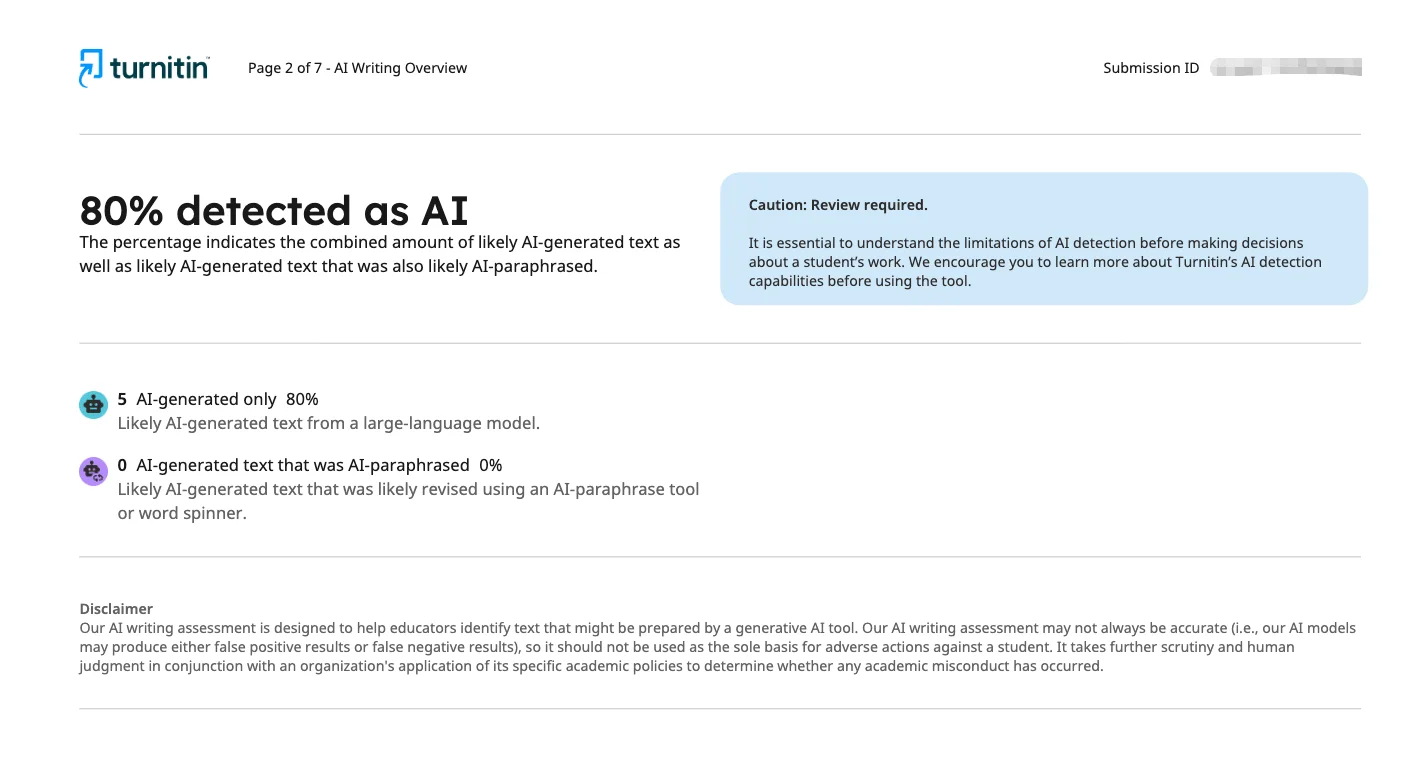
Students do not all access Turnitin the same way. Some submit through a standard assignment inside a course shell. Others may use an instructor-provided direct submission link. Turnitin notes that direct submission can allow a student to upload through a unique link without creating a user account. In either case, free Turnitin access remains tied to that submission rather than an unlimited personal checker.
If the AI Writing tab is missing, pause before assuming anything about your paper. The assignment may not include the feature, the file may still be processing, or the upload may not have met the requirements needed for a report to generate correctly.
How to Read the Overall AI Percentage

The biggest reading mistake is treating the AI percentage like a plagiarism score. Turnitin explicitly says the AI percentage is different from and independent of the Similarity score. The Similarity score reflects matched text against sources in Turnitin’s database, while the AI percentage reflects text the system detected as likely AI-written. Those are separate signals, so one number does not explain the other.
Turnitin also gives an important warning about Turnitin AI detector reliability at lower percentages. Scores below 20% are shown with an asterisk in some views because those results are less reliable and false positives are more likely. For students, that means a small number should not trigger panic. It is a prompt to review language carefully, not proof that meaningful sections of the paper were machine-written.
Report Element | What It Measures | What Students Should Remember |
|---|---|---|
Similarity Score | Matched wording against sources | A high score does not automatically prove plagiarism, and a low score does not automatically prove no plagiarism. |
AI Percentage | Text detected as likely AI-written | It is separate from similarity and should be interpreted with human judgment. |
Asterisk Below 20% | Lower-confidence AI result in some views | Use extra caution because false positives are more likely in that range. |
Read the percentage as a starting point for review. Then ask what parts of the paper sound overly polished, generic, or detached from your own reasoning.
What Highlighted AI Text Can and Cannot Prove
Turnitin describes two interactive AI report categories: AI-generated only and AI-generated text that was AI-paraphrased. In that second category, Turnitin discusses Turnitin QuillBot detection, naming QuillBot as an example of an AI paraphrasing tool or word spinner. Those labels can help focus attention on a passage, especially when an instructor or student is trying to understand why a section feels different from the rest of the paper.
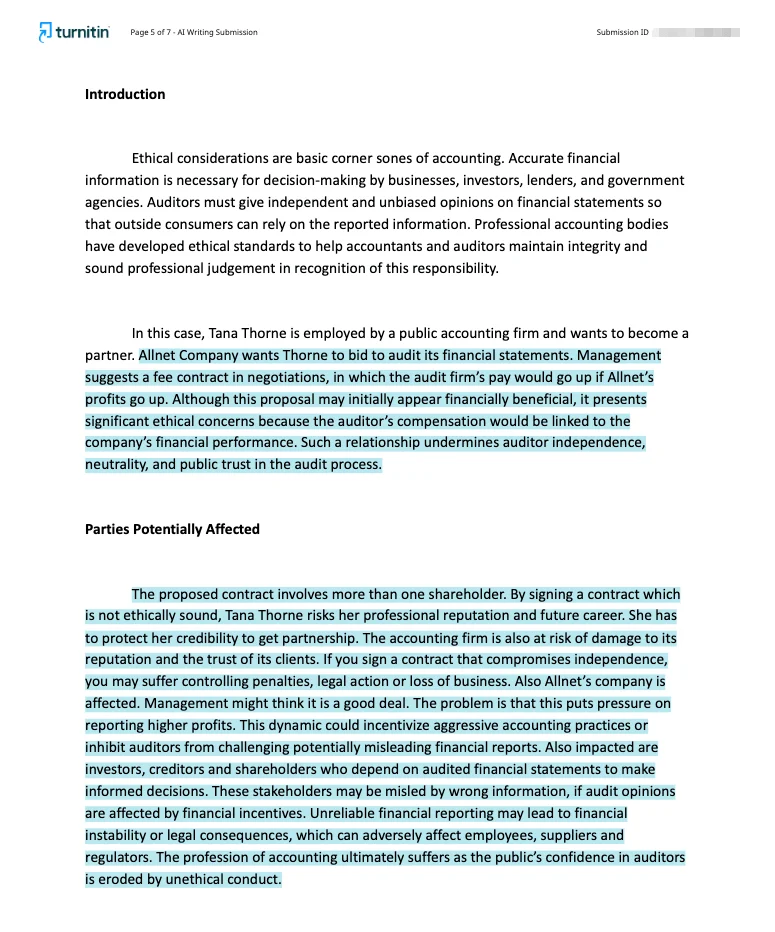
What the highlights cannot do is prove authorship by themselves. Turnitin says the model may misidentify human-written, AI-generated, and AI-paraphrased text. That means a highlighted paragraph does not tell the whole story about how the writing was produced. Standardized academic phrasing, summary-heavy sections, and formulaic explanations can all sound more mechanical than a personal response or close analysis.
A better question is whether the highlighted wording reflects your actual thinking and drafting process. Can you explain the claim, support it with sources, and show how it fits your outline or notes? If not, revise for specificity and substance. Avoid the mindset of trying to make the color disappear. Strong revision means adding concrete detail, sharper analysis, and clearer sentence-level ownership, not chasing a cosmetic result.
Steps for Reviewing a Report Responsibly
Start with the file itself. Turnitin warns that PDFs with non-selectable text, embedded extra files, or unreadable formatting may be rejected or fail to process correctly. It also recommends using a consistent file format across students when AI writing detection is used for an assignment. If your report looks incomplete or strange, a formatting issue may be contributing to the problem. Turnitin also notes that only a single document may be submitted to a standard assignment, so multiple files or zip folders are not the right approach.
Next, check timing before making judgments. Turnitin says uploaded files can take up to 10 to 15 minutes to process and generate a Similarity Report. Overwritten or resubmitted papers may take up to 24 hours. It also says the first three resubmission attempts may generate reports immediately, but after three attempts a 24-hour delay applies. Students sometimes react to an outdated or still-processing report and end up revising based on incomplete information.
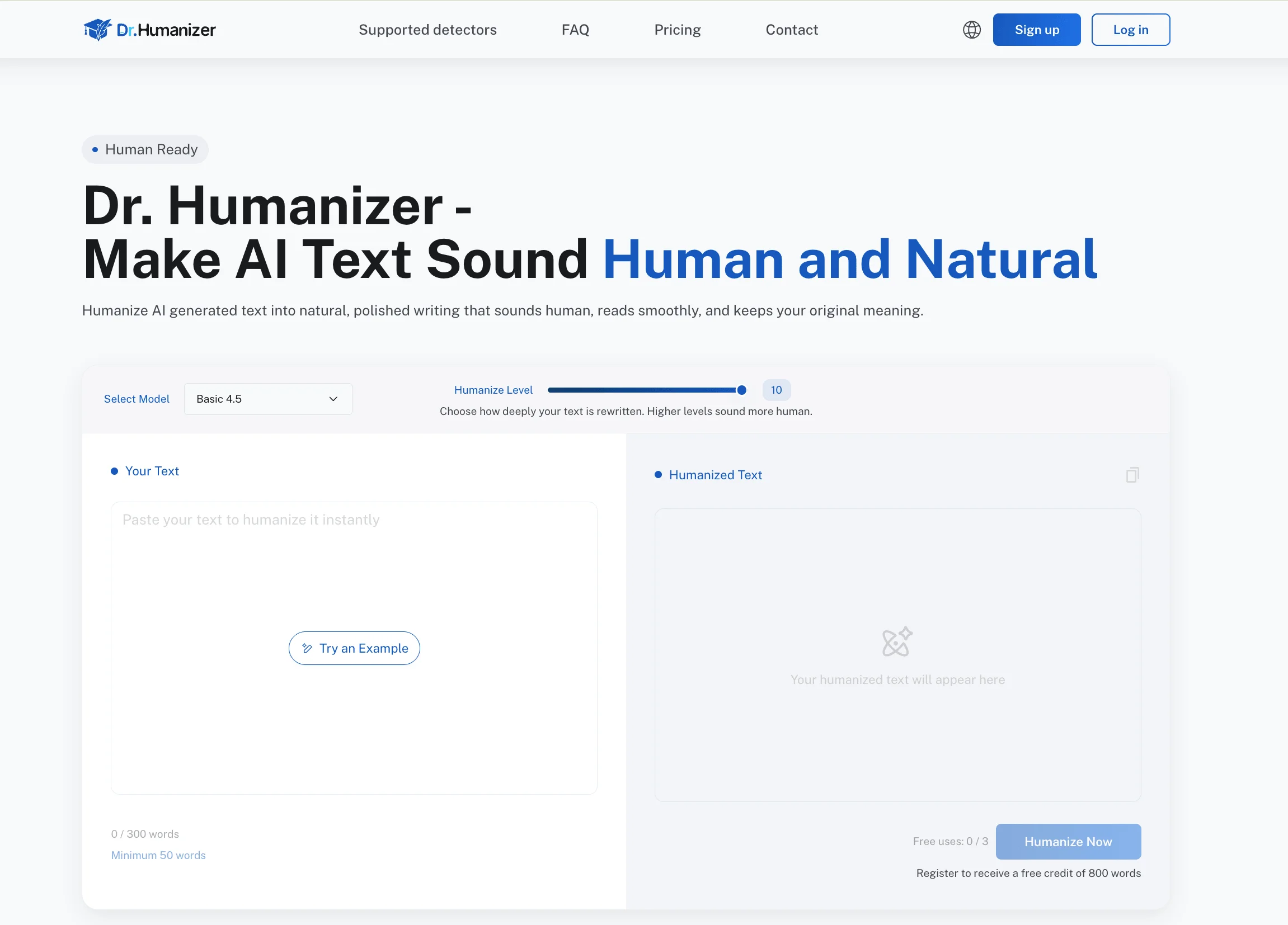
Then review passage by passage. Compare flagged text to your notes, outline, drafts, and source use. Ask whether the wording is vague, repetitive, too smooth, or missing your own examples. If your course has AI rules, follow them directly. If you used AI for brainstorming or sentence help, be ready to revise so the final paper clearly reflects your understanding. Ethical revision can include clarifying ideas, tightening citations, and making stiff prose sound more natural. One careful edit, or limited tone work with Dr. Humanizer, can help reduce robotic phrasing, but the goal should always be honest authorship rather than concealment.
Key Takeaways for Turnitin AI Checker Use

Look for the AI Writing tab inside the Similarity Report, not as a separate public student tool.
Keep the AI percentage separate from the Similarity score because they measure different things.
Treat scores below 20% cautiously when marked with an asterisk, since Turnitin says false positives are more likely there in some views.
Read highlighted passages as prompts for review, not proof of exactly how the text was written.
Check file quality, upload format, and processing time before assuming the report is final.
Use your notes, outline, sources, and earlier drafts to evaluate whether flagged language genuinely reflects your thinking.
Revise by adding specificity, evidence, and clear reasoning instead of trying to outguess the detector.
Remember that Turnitin presents these tools within an academic integrity platform used by institutions, as described at Turnitin, rather than as an unlimited free student self-check service.
Frequently Asked Questions

Can Students Use Turnitin on Their Own?
Usually not as a general free self-checker. Turnitin is commonly accessed through a school, a course assignment, or an instructor-provided direct submission link. If you do not see the feature in your class, that often means access depends on institutional setup rather than something you can simply turn on yourself.
Is the AI Percentage the Same as the Similarity Score?
No. Turnitin says the AI percentage is independent of the Similarity score. Similarity identifies matched text that still requires interpretation, and Turnitin also states that it does not detect plagiarism itself. In other words, both numbers need context, and neither should be read as an automatic verdict.
Why Is My Report Not Showing Up Yet?
Processing delays are common. Turnitin says uploaded files can take up to 10 to 15 minutes to process, while overwritten or resubmitted papers may take up to 24 hours. After three resubmission attempts, a 24-hour wait may also apply. If the file format was hard to read, that can create additional problems.
What Does the Asterisk on a Low AI Score Mean?
Turnitin says scores below 20% are shown with an asterisk in some views because those results are less reliable and false positives are more likely. For students, that symbol is a reminder to slow down and review the writing carefully instead of treating a small percentage as proof of anything major.
Can Highlighted Text Prove I Used AI?
No single highlighted section can do that on its own. Turnitin says its model may misidentify human-written, AI-generated, and AI-paraphrased text and should not be the sole basis for adverse action. A highlighted section is best treated as a place to review your wording, sources, and drafting history.
Conclusion on How to Use Turnitin AI Checker

If you are trying to understand how to use turnitin AI checker, the most helpful move is to read the report as context, not as a verdict. Open the AI Writing tab, separate the AI percentage from the Similarity score, and inspect highlighted sections with your actual drafting process in mind. Also check whether the file was uploaded cleanly and whether enough time has passed for the report to finish processing.
When a result raises questions, respond with stronger revision, clearer evidence, better attribution, and honest attention to course policy. That approach is more useful than chasing a lower number or trying to interpret one percentage in isolation.
Turnitin’s own guidance points toward human review, and that is the best way to make the report meaningful before you submit. A calm, policy-aware reading of the report will help you decide what needs revision and what simply needs context.