

Your draft is due at 11:59 p.m., you submitted ten minutes ago, and the report still has not appeared.
Most students wondering how long Turnitin takes are really trying to decide whether to wait, revise, or email the instructor.
The next step is to know which delay is normal and which one needs instructor help.

Quick Answer to How Long Turnitin Takes
For many standard submissions, Turnitin says uploaded files can take up to 10 to 15 minutes to process and generate a Similarity Report. In ordinary student terms, a first upload often appears fairly quickly if the file is readable and the assignment settings are routine. If you submitted a normal DOCX or a clean text-based PDF, a short wait is usually not a sign that anything is wrong.
The bigger issue is resubmission timing. Turnitin states that overwritten or resubmitted papers may take up to 24 hours to generate a new Similarity Report. It also says the first three resubmission attempts may still generate reports immediately, but after three attempts, a 24-hour wait can apply.
So the realistic answer is this: a first submission may be fast, while a replacement file can be much slower. If your deadline is close, do not assume a fresh upload will always refresh in a few minutes.
Why Some Similarity Reports Arrive Quickly
Fast reports usually happen when the submission is simple. Turnitin says a standard assignment accepts a single document, not multiple documents or a zip file. When a student uploads one supported file with readable text, the system has less to sort through and fewer reasons to stall. That is why a straightforward first submission often moves faster than a complicated last-minute upload.
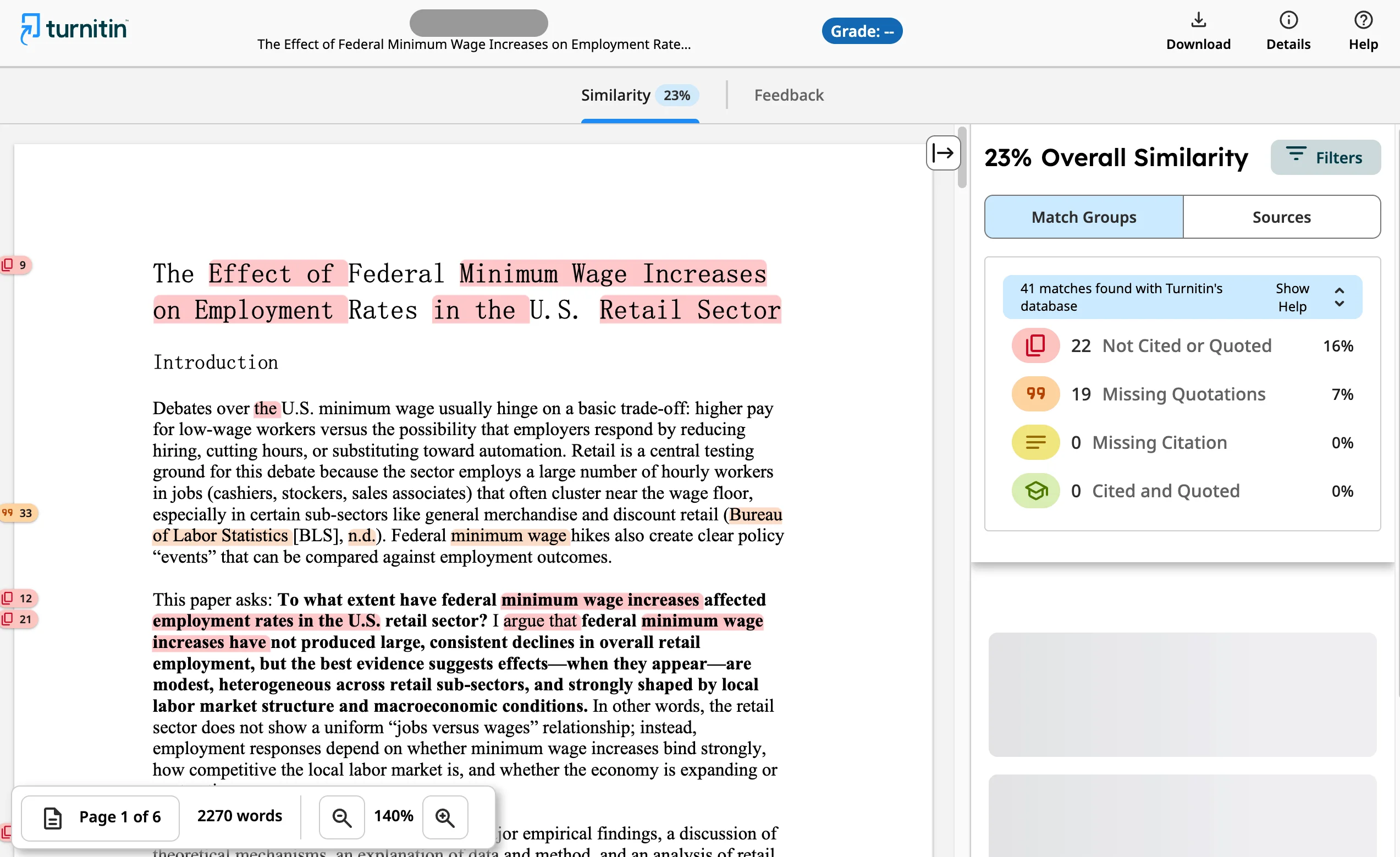
File readability matters too. A clean document with selectable text is easier to process than a poorly converted file. If the assignment is set up normally and the file is not corrupted, the Similarity Report may appear within the common 10-to-15-minute window.
It also helps to remember what the report is actually doing. The Turnitin source-matching plagiarism checker does not establish plagiarism by itself; it identifies text similarity that an instructor must interpret. That means the system can generate a report relatively quickly even though the meaning of the score still depends on quotations, citations, common phrases, and assignment context.
A fast report, then, is useful but not final. It tells you that processing worked, not that the score explains everything.
When Resubmissions Can Take Up to 24 Hours

This is the part that catches many students off guard. Turnitin says overwritten or resubmitted papers may take up to 24 hours to generate a new Similarity Report. That delay can happen even when the first report came back quickly. If you upload a draft for a pre-submission Turnitin check, replace it after fixing citations, and then replace it again after changing formatting, the next result may not arrive on your preferred timeline.
Turnitin also notes that three resubmission attempts may generate Similarity Reports immediately. After those first three attempts, a 24-hour wait can apply. So if you treat the submission box like a live editing workspace, you may create a timing problem for yourself right before the deadline.
A safer habit is to finish your proofreading before you upload. Read the introduction, check your works cited page, confirm page numbers, and make sure the correct version is saved. If you must resubmit, document the time and keep proof that the newest file was attached.
Submission Situation | Likely Timing | Best Student Move |
|---|---|---|
First readable upload | Often within 10 to 15 minutes | Wait briefly before assuming a problem |
Early replacement attempt | May still be fairly quick | Check that the new file actually overwrote the old one |
Later overwrite or repeated resubmission | May take up to 24 hours | Do not plan on instant report refresh |
Near a deadline, the practical lesson is simple: every extra upload increases uncertainty.
What Delays AI Writing Reports or File Processing
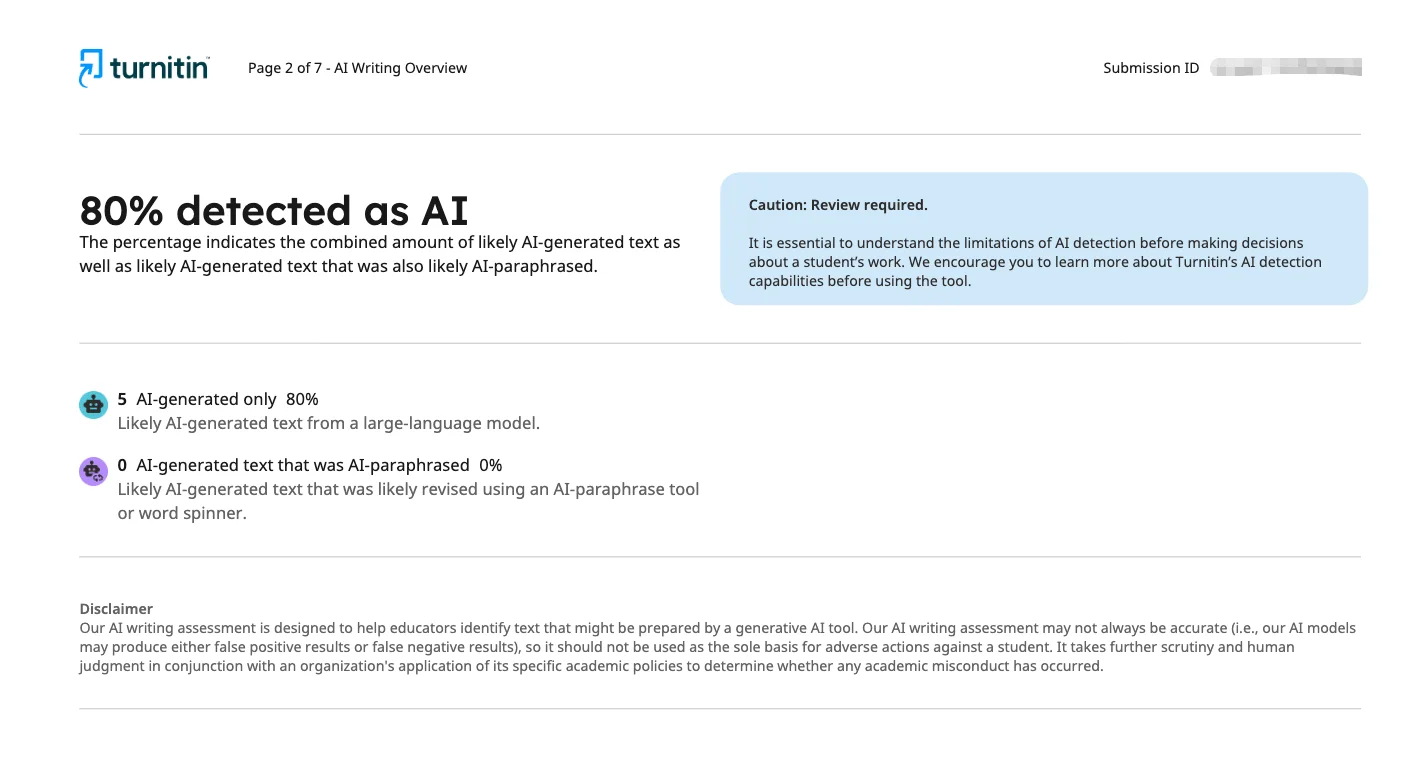
Students sometimes expect every Turnitin result to appear at the same speed, but Similarity and AI writing indicators are not the same thing. Turnitin says the AI percentage is different from and independent of the Similarity score. It also explains that the AI Writing tab contains the overall percentage of text detected as AI in the new Similarity Report. In other words, one result should not be read as a substitute for the other.
File condition can also slow or interrupt processing. Turnitin warns that PDFs with non-selectable text, embedded extra files, or unreadable formatting may be rejected or fail to process correctly. For assignments using AI writing detection, Turnitin recommends using a consistent file format across students. That matters because odd conversions, scanned pages, and messy layout choices can create avoidable problems.
It is equally important not to overreact to AI writing indicators. Turnitin says its AI writing capability is designed to help educators identify text that might be prepared by generative AI tools, chatbots, word spinners, and bypasser tools. Its guidance on Turnitin AI report accuracy also says the model may misidentify human-written, AI-generated, and AI-paraphrased text and should not be the sole basis for adverse action. Turnitin describes two interactive categories in the AI report: AI-generated only and AI-generated text that was AI-paraphrased, with QuillBot named as one example in that context.
If your prose sounds stiff, the ethical fix is honest revision for clarity and voice, not trying to outsmart a detector.
What to Check While You Wait
Waiting feels less chaotic when you know what to verify. Start with the basics: did the upload fully complete, and do you have a confirmation or receipt? Make sure the file name matches the version you meant to submit. If your instructor used direct submission, Turnitin says students may submit through an instructor-provided unique link without creating a user account. In that situation, saving the confirmation matters even more because your usual dashboard view may not exist.

Next, confirm that you submitted only one document. Turnitin says a standard assignment accepts a single document rather than multiple files or a zip folder. Then check the file itself. A clean DOCX or text-based PDF is usually safer than a scanned PDF with unreadable text.
Also think about timing history. If this is your first upload, waiting 10 to 15 minutes may be normal. If you already replaced the paper several times, a longer delay may be expected. If the report still has not appeared after a reasonable window, contact your instructor or campus support with the submission time, assignment name, file name, and screenshot.
That kind of message is much more useful than a vague note saying the system is broken.
Key Takeaways on Turnitin Timing

The most important point is that not all waits mean the same thing. A first submission often processes within 10 to 15 minutes, which is why a short pause after upload is usually normal. The real trouble starts when students assume every replacement file will behave the same way. Turnitin says overwritten or resubmitted papers may take up to 24 hours, so repeated last-minute edits can create a preventable deadline problem.
Another key point is that file quality matters. Readable text, one supported document, and a clean format improve the odds of smooth processing. By contrast, badly converted PDFs, embedded extras, or unreadable formatting can slow things down or cause failures. If your class uses AI writing detection, remember that the AI percentage is separate from the Similarity score and should not be treated like a simple misconduct verdict.
Submit earlier than your personal cutoff time.
Proofread before uploading instead of relying on repeated overwrites.
Use one clean, readable file.
Save screenshots and confirmation details.
Ask your instructor whether you are expected to review the report before the deadline.
Those habits reduce stress much more effectively than refreshing the page every few seconds.
Frequently Asked Questions

Can a First Turnitin Report Really Show Up in 10 to 15 Minutes?
Yes. Turnitin's troubleshooting guidance says uploaded files can take up to 10 to 15 minutes to process and generate a Similarity Report. That range is common for many first submissions, especially when the file is readable and the assignment setup is straightforward.
Why Did My New Report Take Longer Than My First One?
The most common reason is that you resubmitted or overwrote the file. Turnitin says overwritten or resubmitted papers may take up to 24 hours to generate a new Similarity Report. A longer delay after a replacement upload does not automatically mean something failed.
Does a High Similarity Score Mean I Plagiarized?
No. Turnitin tells students that a high similarity score does not automatically prove plagiarism, and a low score does not automatically prove the opposite. The report identifies matched text, but instructors still have to interpret quotations, citations, common language, and assignment context.
Is the AI Percentage the Same as the Similarity Score?
No. Turnitin says the AI percentage is different from and independent of the Similarity score. The AI Writing Report and the Similarity Report address different concerns, so one number should not be read as a substitute for the other.
What If My Pdf Will Not Process Correctly?
Turnitin warns that PDFs with non-selectable text, embedded extra files, or unreadable formatting may be rejected or fail to process correctly. If possible, export a cleaner text-based file and verify that the text can be selected before uploading again.
Can I Use Turnitin on My Own Like a Free Student Checker?
Not usually. On its main site, Turnitin presents its tools as academic integrity, grading and feedback, research integrity, and assessment solutions rather than a free public self-check service for students. Access typically depends on how your school or instructor uses the platform.
Conclusion on How Long Turnitin Takes

When students ask how long Turnitin takes, the most helpful answer is a range shaped by context. A first readable submission may produce a Similarity Report within 10 to 15 minutes, while overwritten or repeated resubmissions may take up to 24 hours. That difference matters most when you are trying to revise close to a deadline.
The safest approach is to submit early, use one clean file, and avoid unnecessary re-uploads. If a report is delayed, verify the upload, save proof of submission, and communicate clearly with your instructor if needed. Turnitin reports can be useful review tools, but they still require patience, context, and responsible revision choices.