

Your draft for a composition class looks fine, but your instructor uses Turnitin and you cannot preview the report before submission.
That often sends students looking for an ai detector like turnitin to test a paper on their own first.
The useful move is to compare outside feedback with what only your course report can confirm.
Quick Answer to AI Detector Like Turnitin
If you want an ai detector like turnitin, the honest answer is that no comparable AI checker gives you a true one-to-one match. Turnitin is part of a larger submission and reporting environment used by schools, and its AI Writing Report is presented alongside other information that instructors interpret. According to Turnitin, its AI writing capability is designed to help educators identify text that might be prepared by generative AI tools, chatbots, word spinners, and bypasser tools. It also says the AI percentage is separate from the Similarity score, so students should not treat one number as a full verdict.
For draft review, a public detector can still be useful if you use it as a rough signal. Look for repeated flags across tools, robotic phrasing, generic transitions, and sections that do not sound like your normal writing voice. Then revise for clarity, specificity, and evidence. The goal is not to chase a perfect score. The goal is to submit a readable paper you can explain, support, and stand behind if your instructor asks questions.
Why Public AI Detectors Do Not Match Turnitin Exactly
Public detectors and Turnitin do not match because they are built for different settings. Turnitin is not positioned as a free student self-checker on its main site. It is part of academic integrity, grading, feedback, research integrity, and assessment systems used by institutions. That means its reports appear inside a classroom workflow, not just as a standalone score on a public webpage.
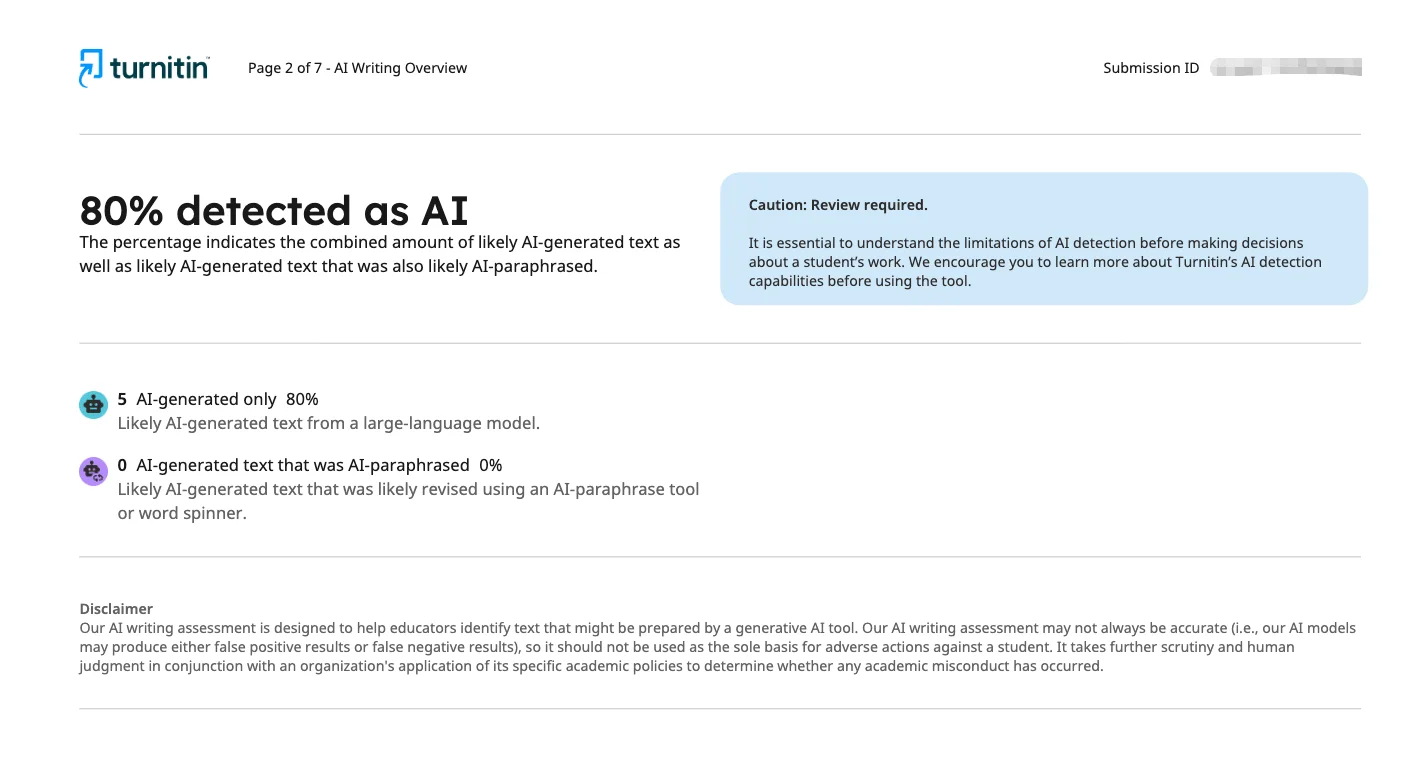
Turnitin also describes its AI report in specific categories, including text identified as AI-generated only and text identified as AI-generated text that was AI-paraphrased. In its discussion of QuillBot detection capabilities, Turnitin names QuillBot as an example of an AI paraphrasing or word-spinning tool. Many public detectors do not explain categories this way, and some simply return a broad percentage with little context.
Most importantly, Turnitin states that its model may misidentify human-written, AI-generated, and AI-paraphrased text and should not be the sole basis for adverse action. That warning matters. If Turnitin itself says the result needs interpretation, a public detector should be treated even more cautiously. Similar wording patterns, discipline-specific phrasing, and polished prose can all affect how a tool reads your draft.
What to Compare Before Trusting an AI Detector Result

Before trusting any detector, compare more than the headline number. Start with what the tool is actually measuring. Is it claiming to estimate AI-generated text, similarity, or both? Turnitin separates AI percentage from Similarity score, and Turnitin also reminds students that a high similarity score does not automatically prove plagiarism while a low score does not automatically prove the opposite. If a public tool blurs those ideas together, its result is less useful.
Next, compare the writing itself. Ask whether flagged passages are unusually broad, repetitive, or thin on concrete evidence. Public detectors often react to polished but generic sentences. If the flagged section also lacks course-specific detail, that is a stronger reason to revise than the score alone.
What To Compare | Why It Matters | Better Student Question |
|---|---|---|
AI score vs. similarity score | They are not the same kind of report | What is this tool actually measuring? |
Flagged sentences | Context matters more than one percentage | Do these lines sound vague or unlike me? |
Tool transparency | Some tools explain limits; others do not | Does the result come with cautions or categories? |
Repeat results across tools | One checker can be noisy | Are the same sections being flagged again? |
Finally, check whether the file you upload is clean and readable. Turnitin warns that some PDFs with non-selectable text or formatting problems may fail to process correctly, so a messy file can create confusion before anyone even interprets the writing.
Closest Turnitin-like Detector Options for Draft Review
The closest public option is not one specific brand. It is a comparison process. Since no outside tool is Turnitin, the better approach is to combine one AI detector with your own review of sentence-level writing choices. If two tools flag the same paragraph and you also notice bland topic sentences, repeated phrasing, or unsupported claims, that section deserves revision.
A practical draft-review setup looks like this: run your paper through one public detector, read every flagged paragraph aloud, and then compare those flags with your citation quality, assignment fit, and specificity. If you used AI assistance for brainstorming or wording, make sure the final draft reflects your own structure, examples, and reasoning. If you need help smoothing stiff language while preserving your ideas, some students use tools such as Dr. Humanizer during revision, but that should support clearer authorship rather than imitate a detector score.
Also remember that access varies by course. Some students can submit through an instructor-provided direct submission link without creating an account, while others cannot access Turnitin at all before the final upload. That is another reason public tools can only serve as rough preparation, not a preview of the exact institutional report.
How to Use Detector Feedback Without Chasing a Score
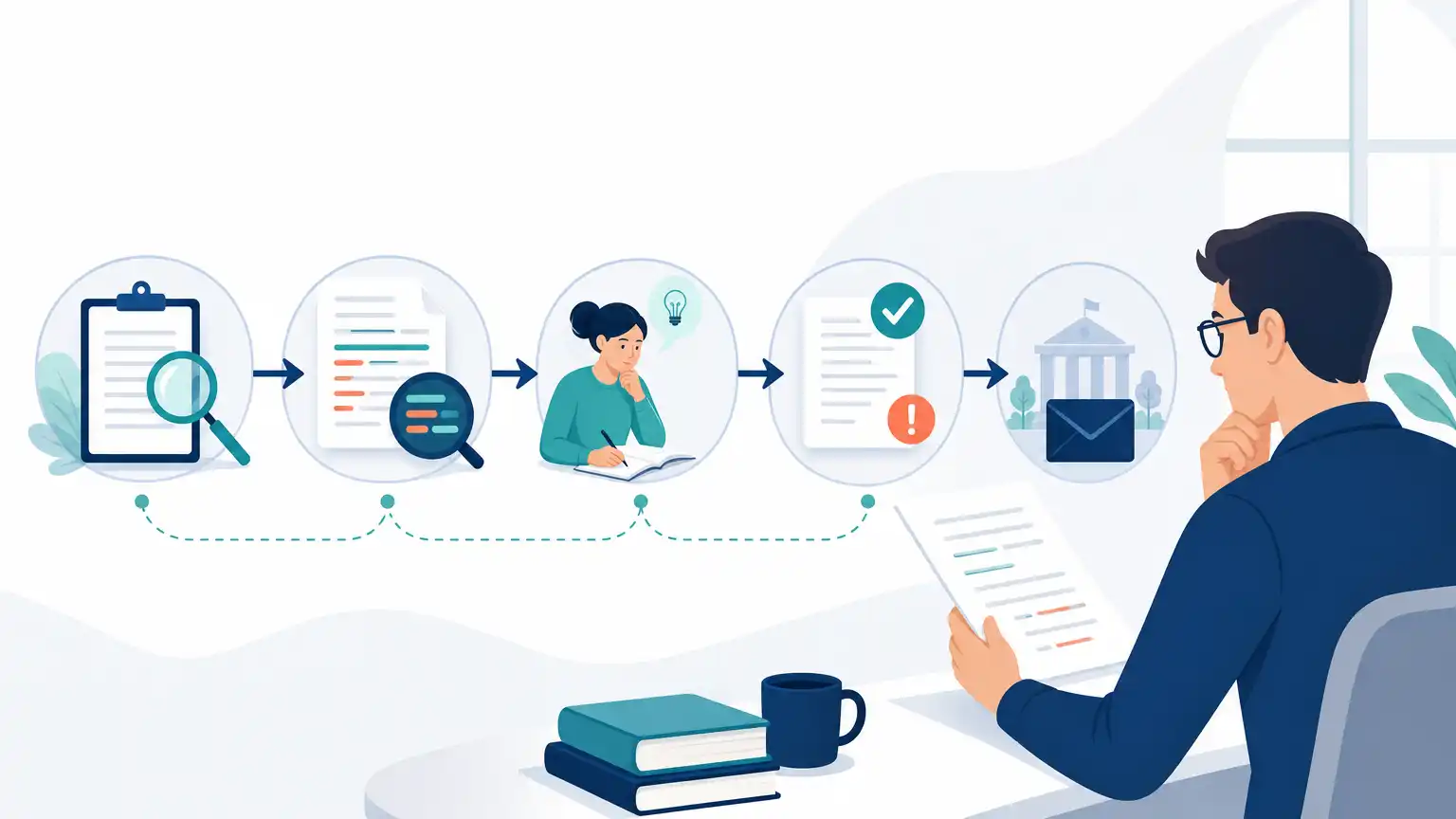
The safest way to use detector feedback is to revise the writing, not to obsess over lowering a number. If a paragraph is flagged, ask what a professor would notice on a close read. Is the claim too broad? Are examples missing? Does the paragraph rely on smooth but empty transitions? Those are revision problems worth fixing regardless of any detector.
Turnitin notes that scores below 20% are shown with an asterisk in some views because results are less reliable and false AI classifications are more likely. That detail is a good reminder not to overreact to small percentages from any tool. A tiny flag is not a reason to panic. It is a reason to reread carefully.
Use this sequence instead: confirm that your file format is readable, verify that each paragraph includes course-relevant detail, replace generic statements with concrete evidence, and make sure your citations and quotations are accurate. If you resubmit within a class system, remember that Turnitin says report timing can vary. Some uploads process in 10 to 15 minutes, while overwritten or repeated resubmissions may take up to 24 hours depending on the situation.
Key Takeaways for Choosing an AI Detector
Students usually want certainty, but the better goal is informed comparison. A good detector for draft review is one that helps you notice patterns, not one that promises to predict exactly what Turnitin will say. Turnitin itself frames its AI report as a tool for educators and warns that the model can misidentify text. That alone should lower expectations for any public alternative.
Do not assume a public AI percentage equals a Turnitin AI Writing Report result.
Separate AI-style concerns from similarity concerns; they answer different questions.
Trust repeated patterns more than a single score from one website.
Revise flagged passages for specificity, evidence, and natural voice.
Upload a clean single document, since formatting and file issues can affect processing.
Give yourself time before deadlines because resubmissions and overwritten papers may delay new reports.
If your instructor uses Turnitin, the most responsible preparation is not finding a magical equivalent. It is producing a paper with clear reasoning, accurate sources, and wording you can explain in conversation or office hours.
Frequently Asked Questions
Can a Public AI Detector Predict My Turnitin Result?
No. A public tool may give you a rough warning about sections that sound formulaic or overly machine-like, but it cannot promise the same outcome as Turnitin. Turnitin uses its own reporting environment and states that its AI percentage is independent of the Similarity score. That means matching one public number to what your instructor may see is not realistic.
Does a Low Similarity Score Mean My Paper Is Safe?
No. Turnitin tells students that a low similarity score does not automatically prove there is no problem, just as a high score does not automatically prove plagiarism. Similarity is about matched text, not a full judgment about authorship, citation quality, or assignment integrity. Instructors still interpret the report in context.
Why Might My Draft Get Flagged Even If I Wrote It Myself?
Turnitin says its model may misidentify human-written text, and public detectors can do the same. Writing that is very polished, repetitive, generic, or built from predictable sentence patterns may trigger flags. So can discipline-specific phrasing or summaries that sound broad and impersonal. That is why flagged text should be reviewed, not automatically treated as proof of anything.
Can I Submit Multiple Files to Turnitin for One Assignment?
Turnitin says only a single document may be submitted to a standard assignment. Multiple documents or zip files cannot be selected for upload. If your draft includes a cover page, outline, and essay, combine them only if your instructor allows that format and it remains readable.
How Long Does It Take for a New Report to Appear After Resubmission?
Turnitin says uploaded files can take 10 to 15 minutes to process in many cases, but overwritten or resubmitted papers may take up to 24 hours. It also notes that the first three resubmission attempts may generate reports immediately, while later attempts can trigger a 24-hour wait. Do not plan your final upload at the last minute if you expect to revise and resubmit.
Conclusion on AI Detector Like Turnitin
If you are looking for an AI detector like turnitin, the best answer is that no public checker is truly the same. Turnitin’s AI Writing Report is part of an institutional workflow, uses its own AI detection model and categories, and comes with explicit limits, including the warning that results may misidentify text and should not be the sole basis for adverse action. Public tools can still help, but only as draft-review signals.
Use them to spot paragraphs that sound generic, unsupported, or unlike your normal writing. Then revise toward stronger evidence, clearer reasoning, and cleaner file formatting. When you approach detector feedback this way, you are not trying to outguess a system. You are improving the paper your instructor will actually read, which is the part that matters most.