

Your draft for a sociology class is due tonight, and you used AI to brainstorm an outline and smooth a few paragraphs before submission.
Now you are wondering whether can turnitin detect AI, what your instructor might see, and how much the report can really prove.
The useful move is to understand what the AI report can suggest and what it cannot prove alone.
Quick Answer to Can Turnitin Detect AI
Yes, Turnitin can flag text that its system believes may have been prepared by generative AI tools, chatbots, word spinners, or bypasser tools. In Turnitin's own guidance, the AI Writing Report is designed to help educators identify writing that might fit those patterns. For a student, that means AI-assisted passages can draw attention even if the paper was not copied from a source in the usual sense.
Just as important, Turnitin acknowledges limits to AI classification reliability: its model may misidentify human-written, AI-generated, and AI-paraphrased text. The company states that the report should not be the sole basis for adverse action. So an AI indicator is not a final judgment, and it does not automatically settle whether a student violated a class policy.
The most practical takeaway is this: if AI helped with drafting, paraphrasing, or polishing, some wording may still appear machine-like to the system. Instead of guessing what software will do, review your paper for sections that sound generic, detached from course material, or much smoother than the rest of your writing. Those are the passages most worth revising before you submit.
What Turnitin's AI Detection Looks For
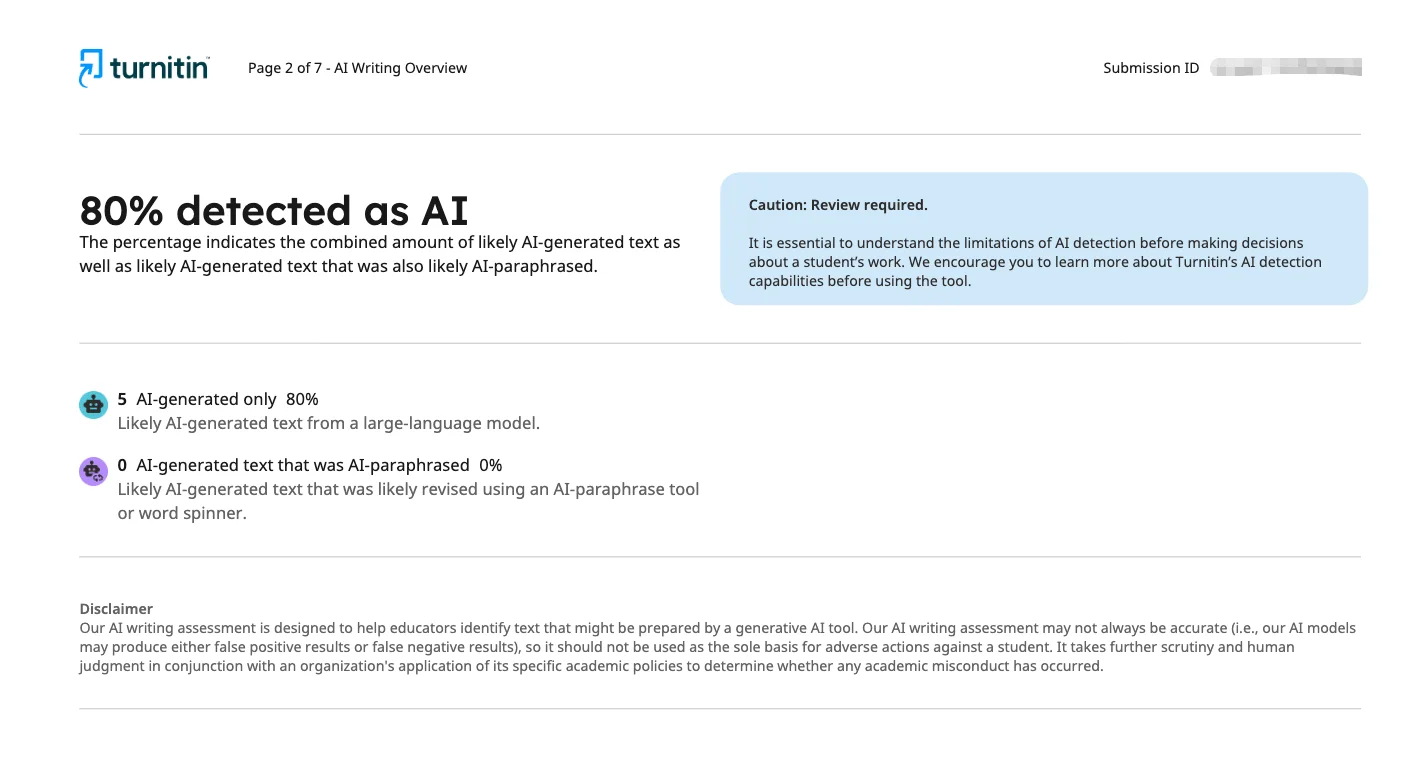
Turnitin describes its AI writing capability as a way to identify text that may have been prepared by generative AI tools or altered through AI paraphrasing tools. In the interactive report, Turnitin describes two categories: AI-generated only and AI-generated text that was AI-paraphrased. That distinction matters because it shows the system is not limited to obvious copy-and-paste chatbot output.
Turnitin also discusses detection of QuillBot output in the context of AI paraphrasing or word spinning. So if a student uses one tool to generate text and another to rewrite it, the report may still treat that passage as relevant. Heavy rewording does not automatically remove concern.
In the newer Similarity Report experience, Turnitin says the AI Writing tab contains an overall percentage of text detected as AI. In some views, scores below 20% appear with an asterisk because those results are less reliable and false positives are more likely. That detail is useful for students because it shows the report includes uncertainty. A number on the screen is still an estimate that an instructor has to interpret in context.
AI Report Element | What a Student Should Understand |
|---|---|
Overall AI percentage | An estimate of text detected as AI-related, not a disciplinary verdict |
AI-generated only | Text that appears directly machine-written |
AI-generated text that was AI-paraphrased | Text that may have started as AI output and then been rewritten by an AI tool |
Asterisk below 20% | Turnitin says lower results are less reliable and more prone to false positives |
Why Some AI Use May Not Produce a Simple Answer
Many students use AI in partial ways rather than asking it to write an entire paper. You might use it to brainstorm topics, test a thesis, reorganize notes, or suggest transitions between ideas. In those situations, the final draft may contain your own analysis mixed with wording patterns that still resemble AI output. That is one reason the answer is rarely a clean yes or no.

Another complication is that detection depends on what Turnitin can process. Turnitin has file requirements both for accepting submissions and for AI writing reports. PDFs with non-selectable text, embedded extra files, or unreadable formatting may be rejected or may fail to process correctly. Turnitin also recommends using a consistent file format across students when AI writing detection is used for an assignment. If the file is messy, the result may be delayed or incomplete.
Context matters too. A short reflection written in plain language may not raise the same questions as a long essay filled with polished but vague prose. If the assignment asked for close engagement with class readings and your paper sounds broad, detached, and interchangeable with any topic, an instructor may look more carefully at the report. The issue is often not just whether AI was involved, but whether the final writing clearly sounds like you and responds to the actual class task.
How AI Detection Differs from Similarity Checking
Students often treat every Turnitin number as if it means the same thing, but Turnitin separates similarity checking from AI writing detection. Turnitin says the AI percentage is different from and independent of the Similarity score. A paper can have very little overlap with outside sources and still contain text that the AI report marks as likely AI-generated or AI-paraphrased.
The reverse is true too. A high Similarity score does not automatically mean a student cheated. Turnitin tells students that a high similarity score does not automatically prove plagiarism, and a low score does not automatically prove everything is fine. On its public site, Turnitin also says it does not detect plagiarism; it identifies text similarity that instructors must interpret.
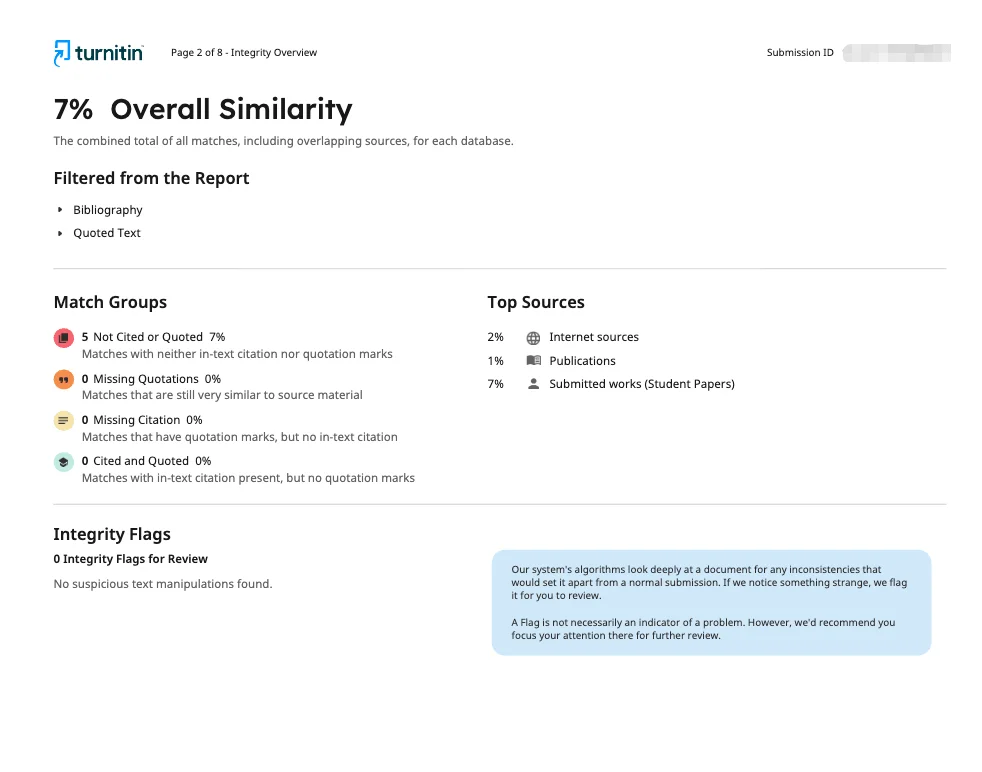
That difference helps when you review your own draft. Turnitin’s plagiarism checking system checks whether passages match existing sources or prior submissions. AI detection asks whether the wording itself resembles machine-generated or AI-rewritten text. One report is about overlap with other material. The other is about writing patterns. Instructors may use both together, but neither one should be treated as a complete answer without reading the paper itself.
Report Type | Main Question | Important Limit |
|---|---|---|
Similarity Report | How much text matches existing sources? | Similarity alone does not prove plagiarism |
AI Writing Report | How much text appears likely AI-generated or AI-paraphrased? | Turnitin says the model can misidentify text and should not be the sole basis for adverse action |
How to Use AI Responsibly Before Submission
If AI helped you brainstorm, the safest move is to make sure the final paper clearly reflects your own understanding. Read each paragraph and ask whether it includes course-specific evidence, accurate references, and reasoning you could explain in office hours. If a section sounds polished but empty, that is a sign to revise it rather than trust the wording because it sounds impressive.
It also helps to compare the draft with your normal writing style. Sudden shifts in tone, vocabulary, or sentence rhythm can make one section stand out from the rest. Revising for clarity and ownership is appropriate. Trying to misrepresent AI use is not. If you want help smoothing robotic phrasing while keeping your ideas central, Dr. Humanizer can be part of a revision process, but your goal should still be a paper you genuinely understand and can defend.
Finally, check the technical side before the deadline. Turnitin says only a single document may be submitted to a standard assignment, though some instructors may use direct submission links that do not require a student account. Uploaded files may take 10 to 15 minutes to process, while overwritten or resubmitted papers may take up to 24 hours after multiple attempts. Leave enough time for both ethical revision and routine upload issues.
Replace vague claims with class-specific details.
Verify every quote, citation, and paraphrase yourself.
Revise any paragraph you could not comfortably explain aloud.
Use a clean file format with readable text.
Check your instructor's AI policy before submitting.
Key Takeaways About Turnitin and AI
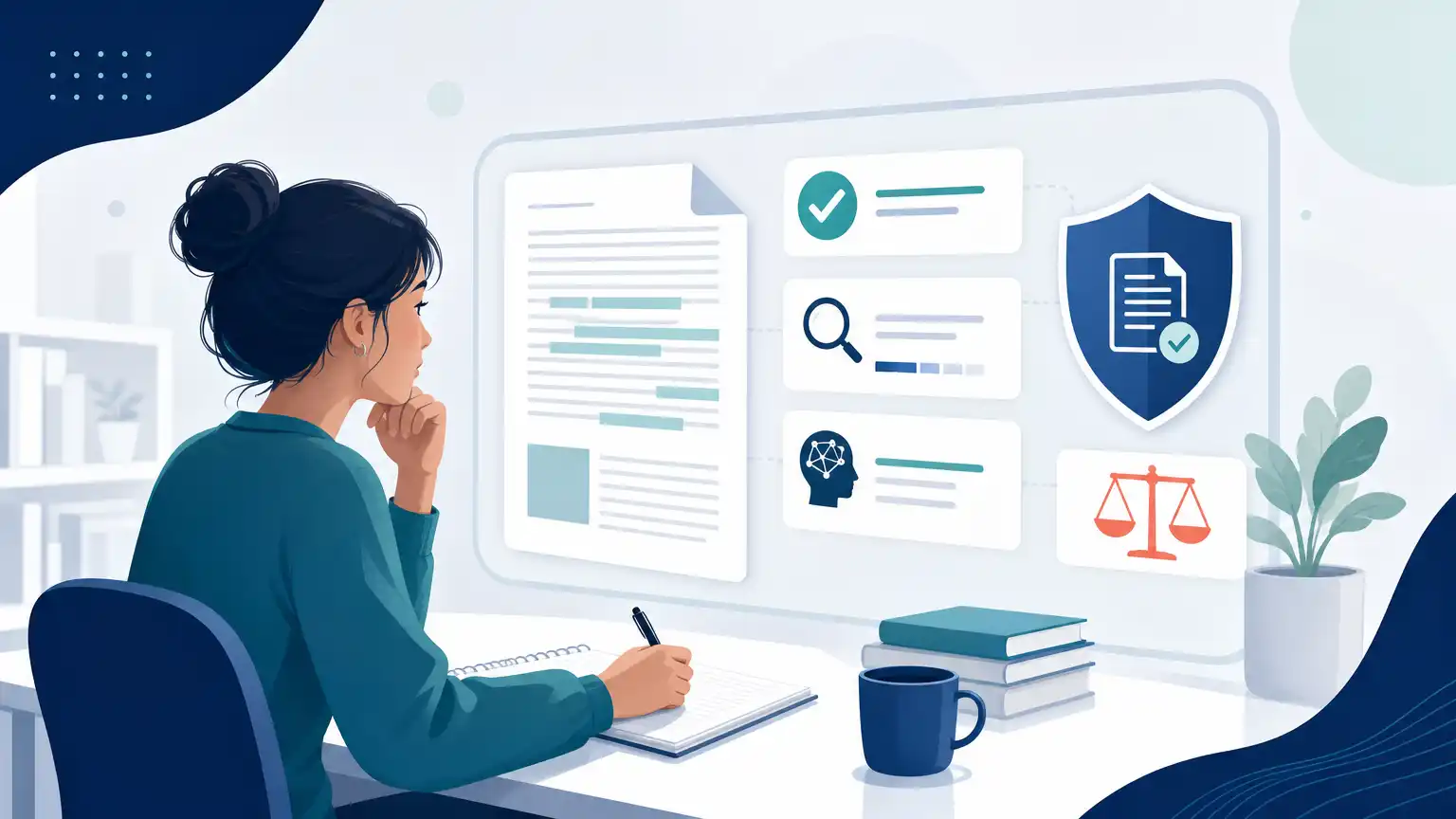
The biggest point to remember is that Turnitin does not produce a simple machine verdict. It presents an AI-related percentage and category information, but Turnitin also says its model may misidentify human-written, AI-generated, and AI-paraphrased text. That means the report is a signal for review, not a stand-alone final judgment.
Another key point is that AI detection is broader than direct chatbot copying. Turnitin says the system is designed to help identify text prepared by generative AI tools, chatbots, word spinners, and bypasser tools. So students should not assume that running text through an AI rewriter changes the issue into something invisible or harmless.
Students also benefit from remembering that AI scores and Similarity scores are separate. A low Similarity score does not rule out AI concerns, and a high Similarity score does not automatically prove plagiarism. If you want to understand the official report language more clearly, Turnitin's AI Writing Report guide and student similarity guide are the most useful places to start.
Frequently Asked Questions
Can Turnitin Detect Paraphrased Text?
It may detect text that appears AI-paraphrased, not only text that looks directly AI-generated. Turnitin describes a category for AI-generated text that was AI-paraphrased and uses QuillBot as an example in that context. That does not mean every rewritten sentence will be flagged, but AI paraphrasing is still part of what the report can consider.
Does a Low Similarity Score Mean My Paper Will Not Raise AI Concerns?
No. Turnitin says the AI percentage is independent of the Similarity score. A paper can show very little source overlap and still contain wording that the AI report marks as likely AI-generated or AI-paraphrased.
What If My AI Score Is Below 20%?
Turnitin says results below 20% are shown with an asterisk in some views because those results are less reliable and false positives are more likely. That should lead to careful interpretation, not panic and not false confidence. A low flagged percentage is not strong proof by itself.
Can a Professor See an AI Report Right Away?
Not always. Turnitin says uploaded files can take about 10 to 15 minutes to process for a Similarity Report, and overwritten or resubmitted files may take up to 24 hours in some cases. After three resubmission attempts, a 24-hour wait may apply for new Similarity Reports. Timing can vary with the submission history.
Can I Submit Multiple Files to Show My Drafting Process?
Not through a standard assignment upload. Turnitin says only a single document may be submitted to a standard assignment, so multiple files or zip folders cannot be selected there. If you want to share notes, outlines, or drafting evidence, ask your instructor what submission method they prefer.
Conclusion on Can Turnitin Detect AI

For students asking whether can turnitin detect AI, the most accurate response is that Turnitin can identify text it believes may be AI-generated or AI-paraphrased, but its own guidance says the model can make mistakes and should not be the sole basis for serious consequences. That is why report interpretation matters as much as the number itself.
The best response is not trying to outguess the software or chase a perfect-looking score. Instead, submit writing that shows real understanding, accurate source use, and a voice consistent with your actual work in class. If AI helped you brainstorm or organize, revise until the final version is genuinely yours. That approach puts you in the strongest position if an instructor reviews the report and asks questions about your draft.